Solutions by role
Twelve jobs,
one permit record.
Pick your role. You get the daily problem stated in your own words, the three things that address it, and the screen you would actually be looking at. Applicant-side roles are here too — architects and contractors influence which system a city buys.
Government
Seven roles inside the building department, from the person who signs the contract to the inspector in the truck.
Applicant side
Five roles outside city hall. They do not buy the system, but they tell their next city which one to buy.
Government · decision maker
Building Official
You are accountable for cycle times you cannot see, deadline exposure you cannot prove, and a replacement project that your council remembers going badly somewhere else.
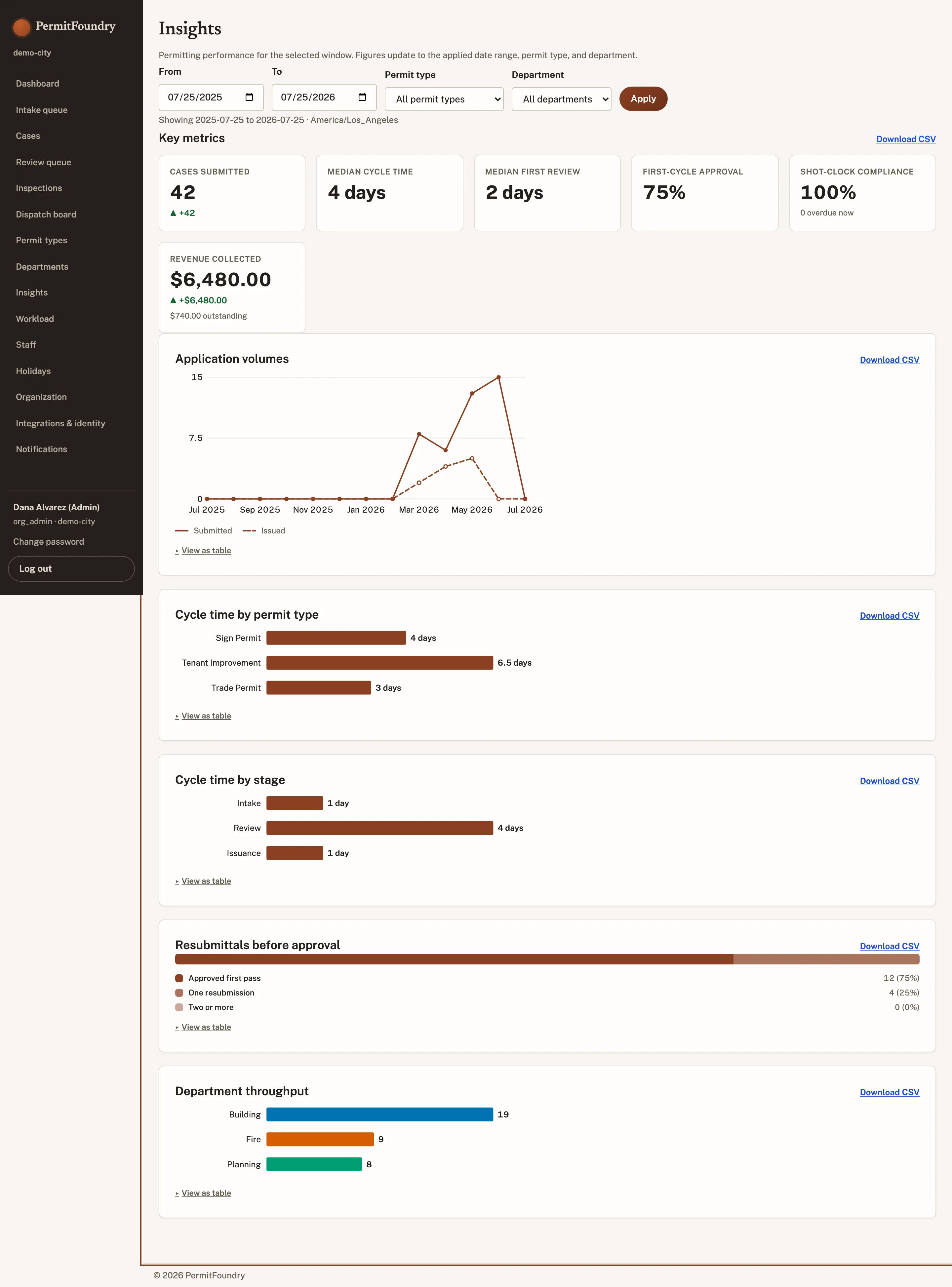
Cycle time you can defend in a council meeting
Median and 90th-percentile days by permit type, department, and reviewer — measured from the record, not from a spreadsheet someone maintains.
Statutory exposure before it becomes a claim
A standing view of every review approaching its deemed-approved deadline, with the escalation already sent and logged.
An implementation your council will believe
Fixed price, published, 30 to 90 days, because your rules are configuration rather than a development project.
LicensingIncluded. Unlimited staff users on every tier.
Government · intake
Permit Technician
You spend your week chasing applications that were never complete, and re-explaining the same missing item to a different applicant every day.
Incomplete applications stop before they reach you
Required documents and fields are enforced per permit type at submission, so screening starts from a reviewable package.
One click to request what is missing
Reusable, plain-language reasons keep the wording consistent between technicians — and the clock is handled correctly without you thinking about it.
Fees calculated, not looked up
The published fee schedule applies itself, itemizes on the applicant receipt, and takes payment at the counter or online.
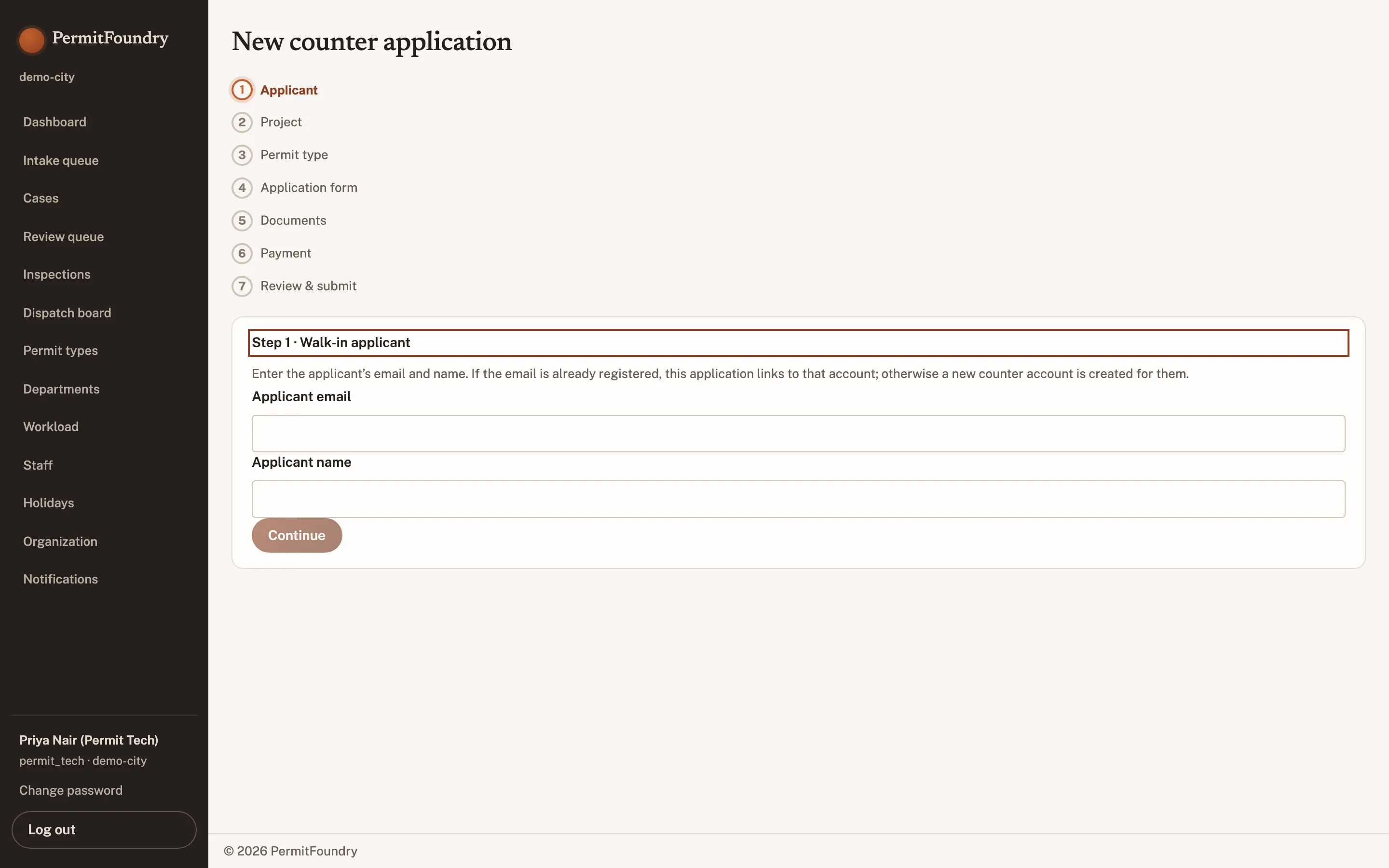
LicensingIncluded. Counter and online intake are the same screens.
Government · review
Plan Reviewer
The drawings live in one product, the case lives in another, and the comment you wrote last month did not come back with the resubmittal.
Markup in the case record
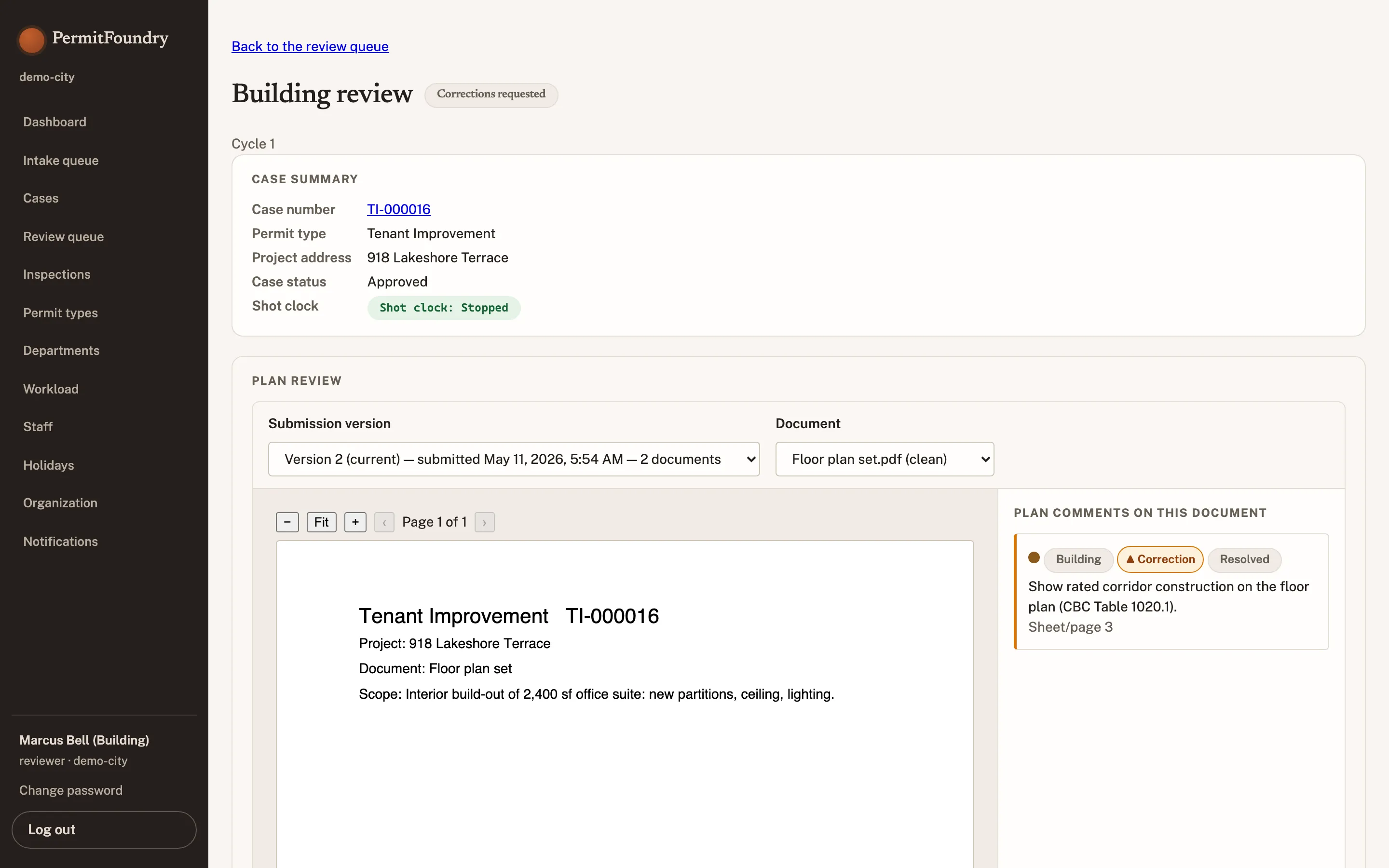
Comments and pins are attached to the sheet, the version, and your name — inside the permit, not in a separate viewer with its own login.
Every version stays on the record
Switch between submission versions with each cycle's comments still attached; superseded sets are kept, never overwritten.
Your comments become the letter
The consolidated correction letter assembles from every department’s items in the city’s template. You write once.
LicensingIncluded. Contract reviewers get scoped access at no extra seat cost.
Government · coordination
Review Coordinator
Work is distributed by memory, you find out a review is late when the applicant calls, and two departments have written comments that contradict each other.
Assignment by load and discipline
See each reviewer’s current queue before you assign, and reassign without losing a single comment.
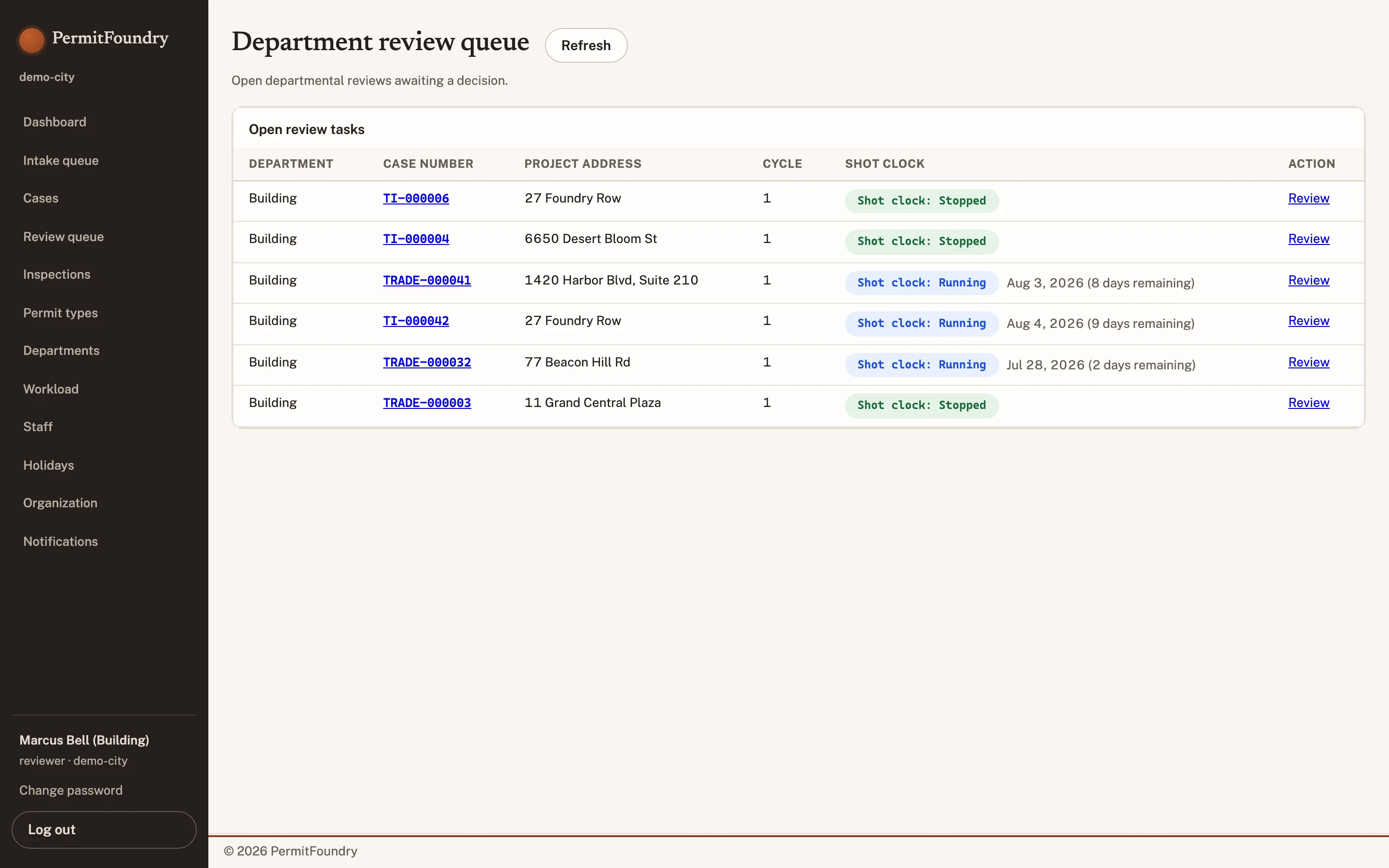
An at-risk queue, sorted by the statute
Days remaining on the real clock — paused time excluded — with escalation before the deadline, not after.
Cross-department conflicts flagged
When Fire and Zoning ask for incompatible changes, it surfaces before the letter goes out instead of on the applicant’s third resubmittal.
LicensingIncluded.
Government · field
Inspector
You drive with a paper list, type yesterday’s results into a desktop this morning, and lose the photo that explained the correction.
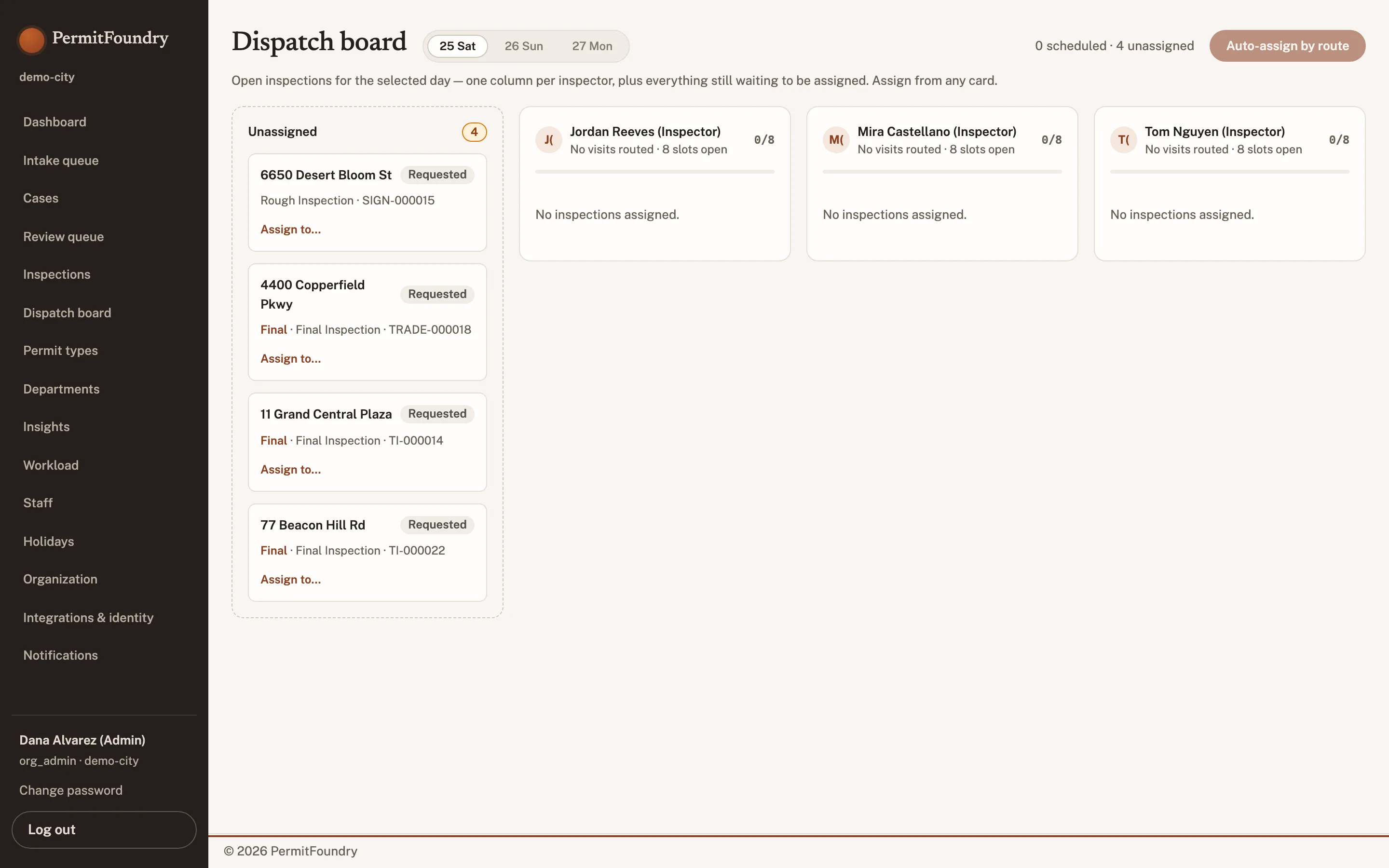
Your day, assigned by route
The dispatch board fills each inspector's lane from the unassigned queue, so the day's stops arrive already ordered.
Results recorded against the permit
The outcome lands on the case record itself, where the applicant and the rest of the department can see it immediately.
Re-inspection scheduled before you leave
Fail or partial results schedule the return visit and apply the re-inspection fee automatically.
LicensingIncluded with the Inspections + Mobile module.
Government · finance and records
Finance / Records Clerk
Reconciliation is a manual match between a payment processor and a permit list, and every records request means reassembling a file by hand.
Reconciliation that already balances
Every fee is attached to a permit and a payment; the daily report matches your deposit without a spreadsheet.
Records requests without archaeology
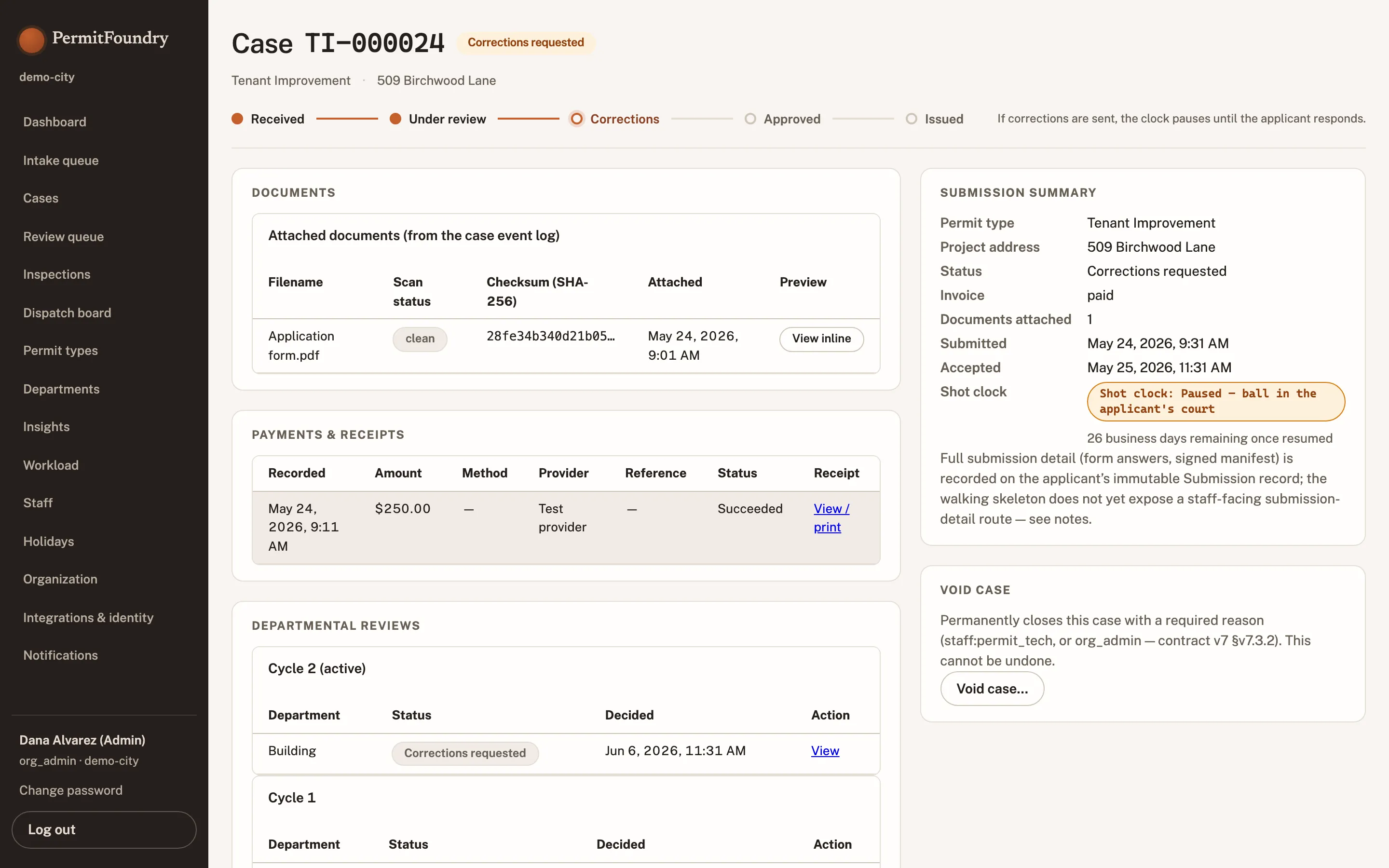
Assemble the responsive file from the case record, apply redactions, and log what was released to whom.
Retention applied automatically
Schedules run on the record at closeout, and point-in-time reconstruction answers "what did this look like in 2024" exactly.
LicensingRecords/PRR module for redaction and retention workflow.
Government · oversight
Executive / Council viewer
The permitting numbers you present are prepared by staff, a quarter old, and impossible to question in the meeting where they matter.
The current number, not last quarter’s
Volumes, cycle times, and revenue read straight from the live record with no reporting cycle in between.
Read-only by design
Council and executive accounts can see everything and change nothing — and never touch an open review.
Exports built for a packet
One-click export in a format that goes into an agenda packet without being reformatted.
LicensingIncluded. Read-only accounts cost nothing, because nothing is per-seat.
Applicant side · design professional
Architect / Engineer
Every city has its own portal, its own login, and its own way of telling you what is wrong — and none of them show you the markup on the sheet.
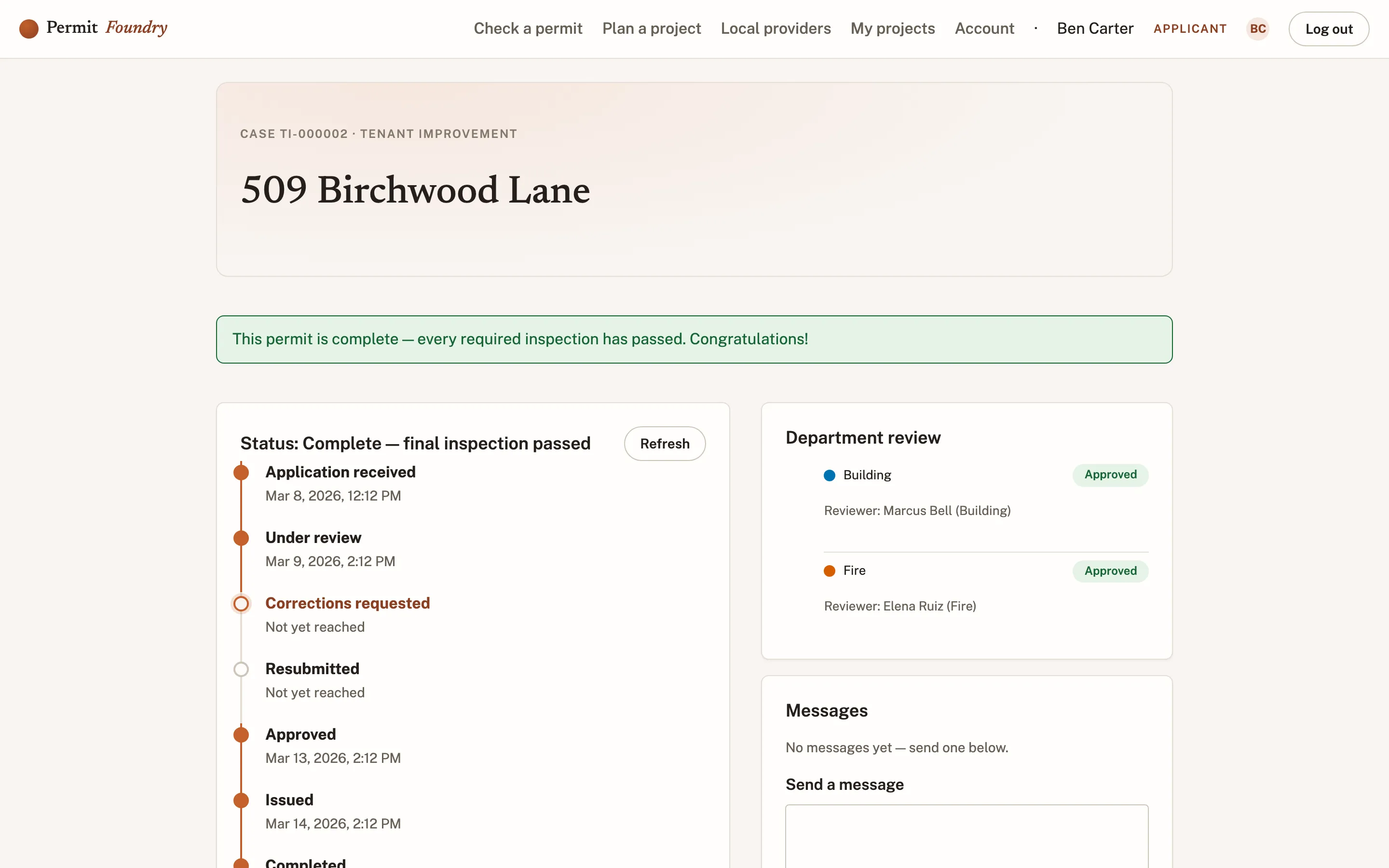
One identity in every jurisdiction
Your license, seal, and insurance are on file once and reused wherever you apply. No re-registration per city.
Comments answered in place
Each item is attached to a sheet and a reviewer. Respond item by item; nothing is lost between versions.
Resubmittals that keep their history
Upload the revised set and see exactly which items carried forward and which sheets need re-review.
LicensingFree. Applicants never pay for access.
Applicant side · construction
General Contractor
You are managing eleven jobs in four cities, and finding out what is blocking each one takes eleven phone calls.
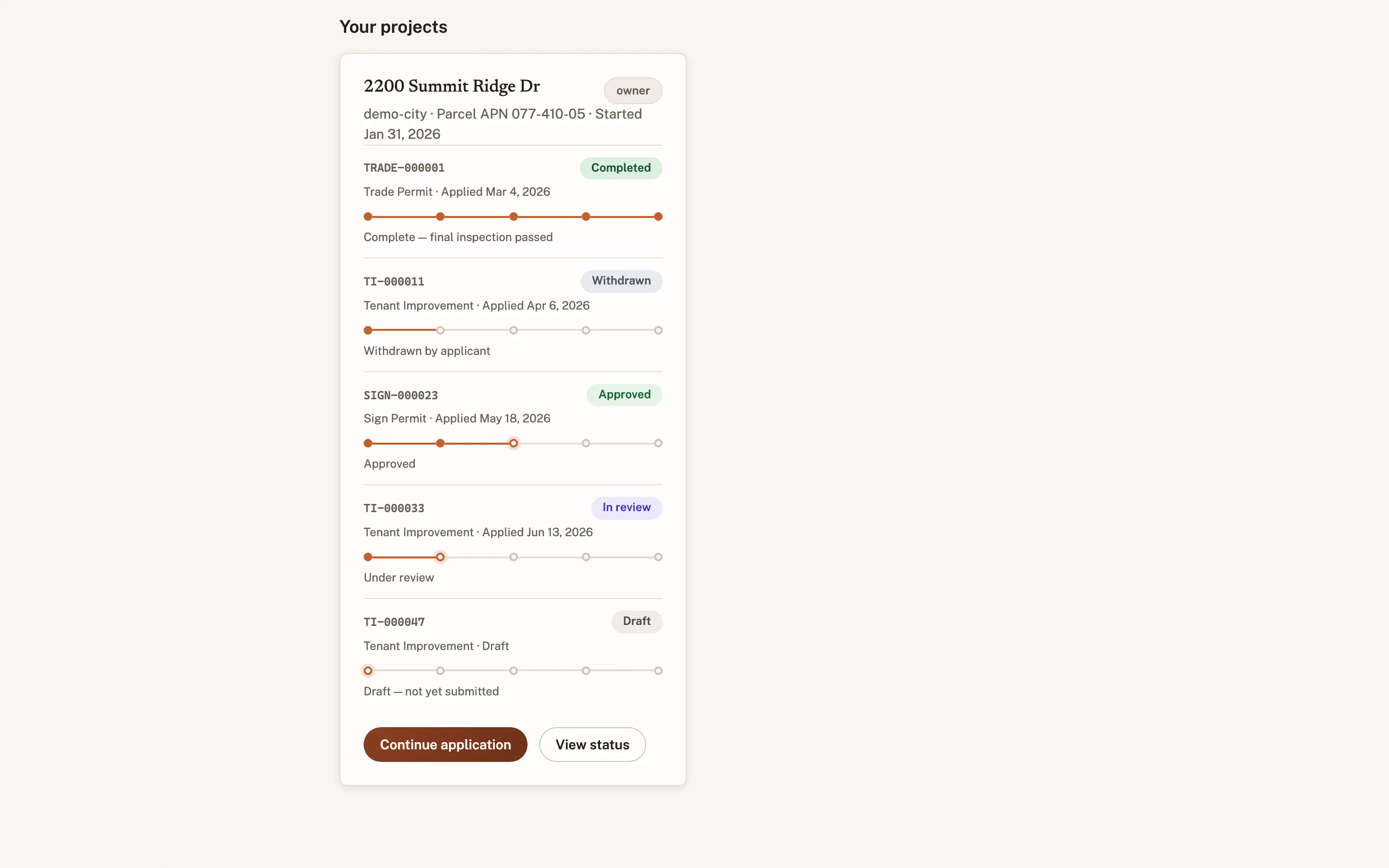
Trade permits under the project
Electrical, mechanical, and plumbing permits sit under the parent project instead of in separate silos.
Inspections requested without a phone call
Request from the permit, see the assigned window, and get the result on the record the same day.
One board for every job
All active jobs across jurisdictions, sorted by what is actually holding them up.
LicensingFree.
Applicant side · least sophisticated user
Business owner
You are opening a restaurant, you have never applied for a permit, and the city website assumes you already know which one you need.
Describe the project, not the permit
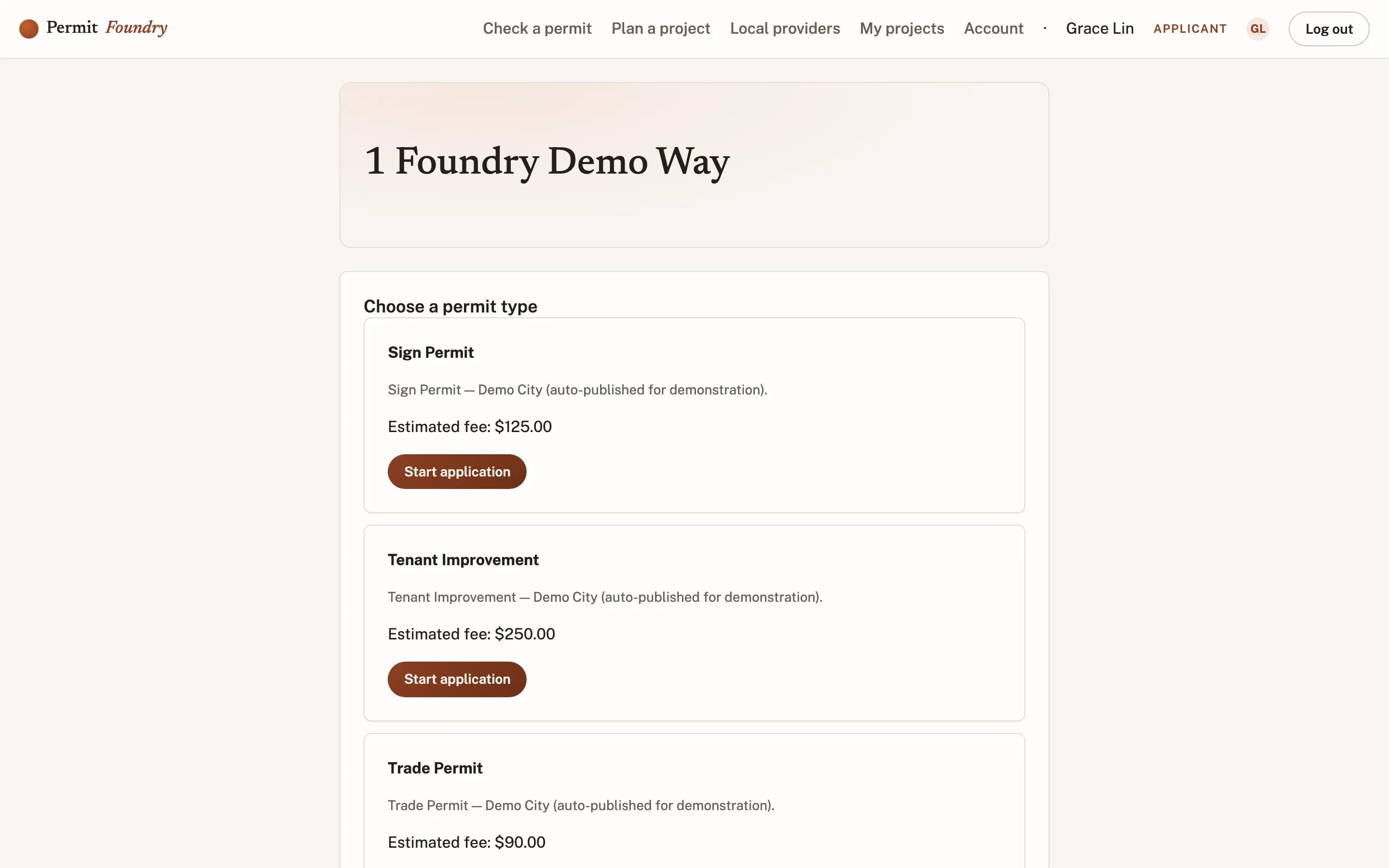
The wizard asks what you are building and selects the permit type, requirements, and fees for you.
Know the cost and the paperwork up front
The full requirement list and fee estimate appear before you pay anything.
A status page in plain language
What stage you are in, who has the ball, and what happens next — without a glossary.
LicensingFree.
Applicant side · occasional user
Homeowner
You need one permit, once, and you do not want an account, a manual, or a trip to city hall to find out whether it was approved.
Short applications stay short
A fence permit asks fence questions. Nothing on the form exists for a category of project you are not doing.
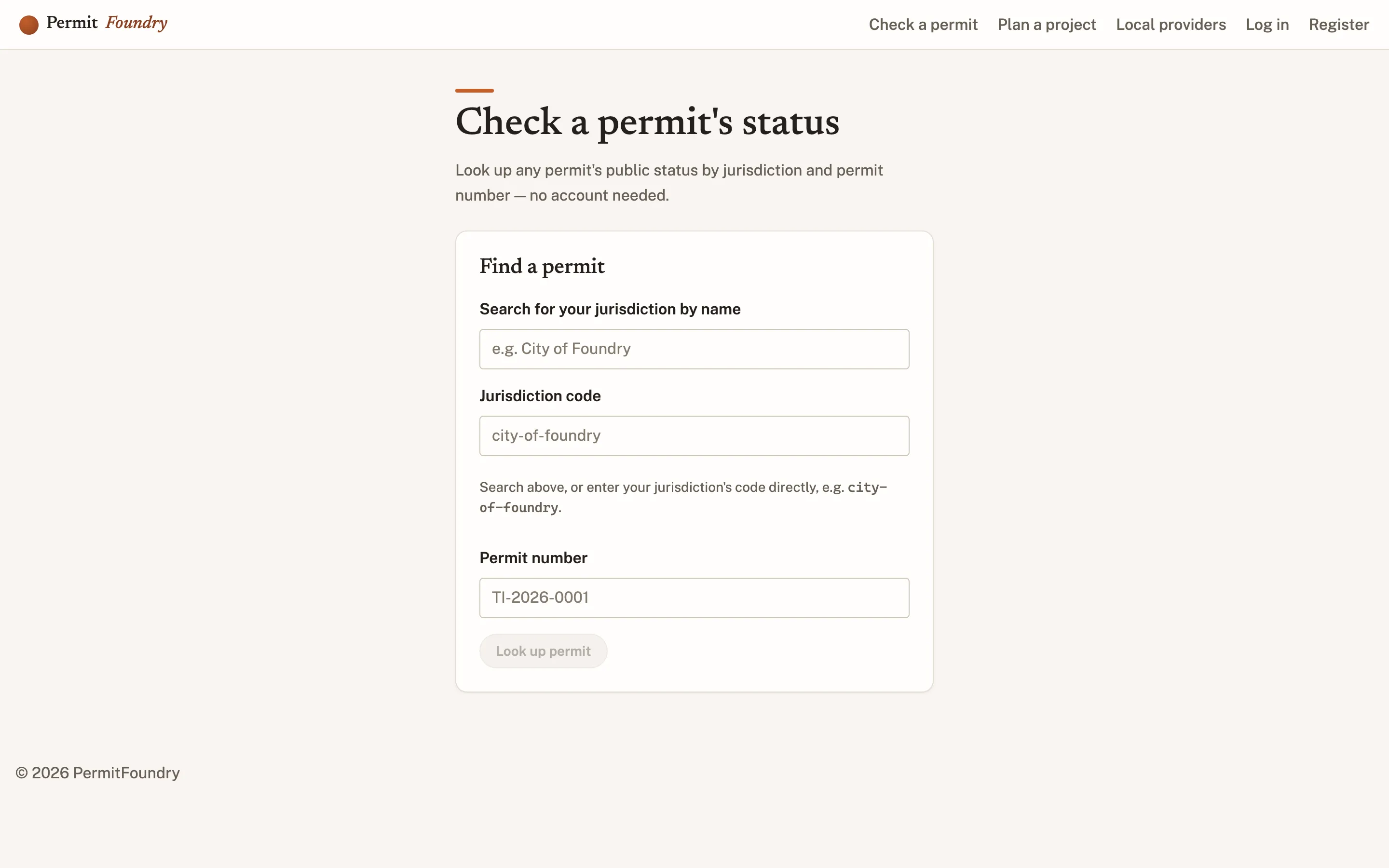
Status by lookup, no login required
Check the permit with the number and address, on the public page, from your phone.
Told when something changes
Pick email, text, or voice for the two or three moments that actually matter.
LicensingFree.
Applicant side · professional filer
Permit expediter
You file for thirty clients and you are still sharing passwords, because no city portal understands that you are acting on someone else’s behalf.
Real delegation, not shared credentials
Clients grant you scoped authority on their projects. Your actions are logged as yours, on their record.
A portfolio view across clients and cities
Every filing, correction, and inspection you are responsible for, in one queue you can work down.
Bulk work handled as bulk
Resubmit, schedule, and pay across multiple projects without re-entering the same information.
LicensingFree.
Why applicant roles are on this page
The architect who works in six cities is your reference check.
One identity across every PermitFoundry jurisdiction means design professionals stop re-registering, re-uploading insurance, and re-learning a portal per city. They notice, and they tell the next city's building department. No other permitting vendor can offer that, because none of them are genuinely two-sided.
One account, every jurisdiction
License, insurance, and seal on file once — reused wherever they apply.
One dashboard across cities
Every open project and every outstanding correction, whichever city it is in.
Delegation that survives staff turnover
Expediters and project teams act for a client without sharing a password.
Free for applicants, always
Unlimited users on the city's side too. Never per-seat, on either side.
See the screens for your role, not a slide about them.
Tell us your role on the form and we will start the demo in your seat — the reviewer's markup, the coordinator's at-risk queue, or the expediter's multi-project dashboard.
Not a city employee?
Architects, contractors, and expediters: send us the jurisdictions you work in. We will tell you which are already live, and we will take an introduction to the ones that are not.
Recommend PermitFoundry to your city